ADA Compliance on Shopify: Best Practices for Accessible, Revenue-Ready Stores
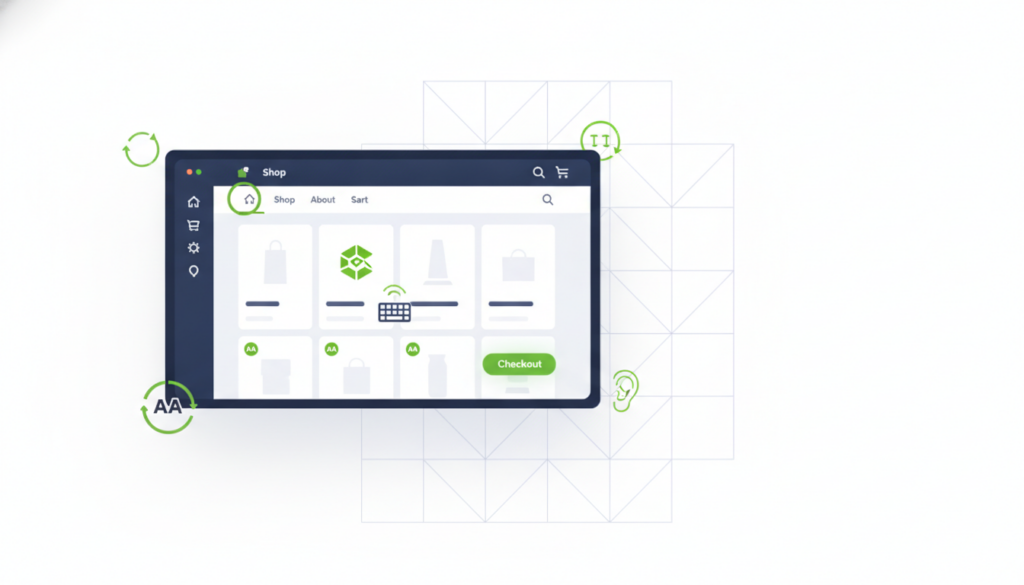
ADA Compliance on Shopify: Best Practices for Accessible, Revenue-Ready Stores
The best practices for ADA compliance on Shopify include semantic HTML structure, keyboard navigability, sufficient color contrast, alt text on all images, and accessible checkout flows — applied at the theme level, not patched with an overlay widget.
Most Shopify stores fail ADA compliance in the same four places — and most store owners don’t find out until they receive a demand letter. I’ve audited enough e-commerce sites to know that accessibility gaps aren’t a design preference problem; they’re an engineering problem. Fix the structure, and you fix the legal exposure and the conversion rate at the same time.
Why Shopify Stores Are Especially Vulnerable to ADA Compliance Failures
Shopify’s theme ecosystem creates accessibility debt faster than almost any other platform because most themes are built for visual appeal, not machine-readable structure. A theme that looks polished in a browser preview can be completely unnavigable for a screen reader user — missing landmark roles, unlabeled form inputs, focus traps in modals, and carousels with no keyboard control. Those aren’t cosmetic issues; under the Americans with Disabilities Act and the growing body of federal case law applying it to commercial websites, they’re legal exposure.
The litigation risk is real and rising. Plaintiffs’ firms have automated the process of scanning retail sites for WCAG 2.1 and 2.2 AA violations. Shopify merchants — particularly those doing meaningful revenue — are on that list. What I tell every store operator I work with is this: the demand letter is cheaper to prevent than to respond to. An audit and remediation engagement costs a fraction of what a single ADA lawsuit settlement runs, and the remediated site converts better anyway because it’s genuinely usable.
The Core ADA Best Practices Every Shopify Store Needs
Keyboard accessibility is the single highest-impact fix for most Shopify stores. Every interactive element — navigation menus, product filters, add-to-cart buttons, modal dialogs, and the checkout flow — must be operable without a mouse. This means visible focus indicators, logical tab order, and no keyboard traps. It also means testing with an actual keyboard, not just running an automated scanner. Automated tools catch roughly 30–40% of real accessibility issues; the rest require manual review.
Alt text on product images is the most commonly cited violation in e-commerce ADA complaints, and it’s also the easiest to fix at scale if your Shopify data is structured correctly. Every image needs descriptive alt text that conveys function or content — not ‘image1.jpg’, not a keyword-stuffed string, and not the same alt text repeated across variant images. For stores with hundreds of SKUs, this is a content operations problem as much as a technical one. I build the process so it stays clean as inventory grows.
Color contrast, form labels, and error messaging round out the critical layer. WCAG 2.2 AA requires a minimum 4.5:1 contrast ratio for normal text and 3:1 for large text. Most off-the-shelf Shopify themes fail this on secondary text, placeholder copy, and badge elements. Form inputs — especially at checkout — require visible, persistent labels, not placeholder text that disappears on focus. Error messages must identify the field and describe what’s wrong, not just flash red. These aren’t edge cases; they’re the difference between a compliant store and a vulnerable one.
| Compliance Approach | Fixes Underlying Code | Holds Up in Court | Improves Conversions |
|---|---|---|---|
| Overlay Widget | No | No | Marginally |
| Theme-Level Remediation | Yes | Yes | Yes |
Why Overlay Widgets Are Not a Compliance Solution
Accessibility overlay widgets — the kind that add a floating toolbar promising ‘one-click compliance’ — do not make a Shopify store ADA compliant, and relying on one is increasingly recognized as a legal liability rather than a defense. Multiple federal courts have allowed ADA web accessibility cases to proceed against businesses that had overlays installed. The reason is straightforward: overlays operate on top of inaccessible HTML; they don’t fix it. A screen reader user encounters the broken DOM before the overlay script executes.
I don’t sell overlays. I remediate the underlying theme — fixing semantic structure, ARIA roles, focus management, and contrast at the code level. That’s the only approach that holds up to a real audit, a real user, or a real plaintiff. It also tends to improve page speed and Core Web Vitals as a side effect, because clean HTML is lighter HTML.
How to Audit Your Shopify Store for ADA Compliance
A proper Shopify ADA audit has three layers: automated scanning, manual keyboard and screen reader testing, and a review of the checkout flow end-to-end. Automated tools like Axe or WAVE are a useful starting point — they’ll surface missing alt text, contrast failures, and missing form labels quickly. But they won’t catch focus management issues, screen reader announcement problems, or the experience of actually navigating your product pages with VoiceOver or NVDA.
The checkout flow deserves its own pass. Shopify’s native checkout has improved in recent versions, but customizations — discount code fields, upsell modals, third-party payment widgets — frequently introduce new violations. If you’ve installed apps that modify checkout, each one needs to be tested independently. I run a structured audit that produces a prioritized remediation list with severity ratings and estimated implementation effort, so you know exactly what to fix first and why. Most stores can reach WCAG 2.2 AA on their core commerce paths within a single focused engagement.
Frequently Asked Questions
Is Shopify ADA compliant out of the box?
Shopify’s platform provides some accessible infrastructure, but most Shopify themes are not ADA compliant out of the box. Theme customizations, installed apps, and product content like images and forms introduce violations that require manual remediation to meet WCAG 2.2 AA standards.
Can an accessibility overlay widget make my Shopify store ADA compliant?
No. Overlay widgets do not make a Shopify store ADA compliant. They operate on top of inaccessible HTML without fixing the underlying code, and multiple federal courts have allowed ADA lawsuits to proceed against businesses that had overlays installed. Real compliance requires fixing the source code.
What are the most common ADA violations on Shopify stores?
The most common ADA violations on Shopify stores are missing or inadequate image alt text, insufficient color contrast, unlabeled form inputs at checkout, missing keyboard focus indicators, and inaccessible modal dialogs — particularly on product pages and during the checkout flow.
How much does ADA remediation for a Shopify store cost?
ADA remediation cost for a Shopify store varies by theme complexity, number of installed apps, and catalog size. A focused remediation engagement is significantly less expensive than a single ADA lawsuit settlement, which typically runs into tens of thousands of dollars in legal fees and damages.
How long does it take to make a Shopify store ADA compliant?
Most Shopify stores can reach WCAG 2.2 AA compliance on their core commerce paths — homepage, product pages, cart, and checkout — within a single structured engagement. The timeline depends on theme customization depth and the number of third-party apps modifying the frontend.